Recording a Win
When a hand ends, TileBuddy handles the payout math for you. You tell it who won and how, and it settles every balance. This page covers the whole flow, including the three ways to enter a hand's score: the faan slider, Pick Tiles, and Scan Tiles.
The quick flow
Start by tapping the big Record Win button under the scorecard. Then step through a few taps:
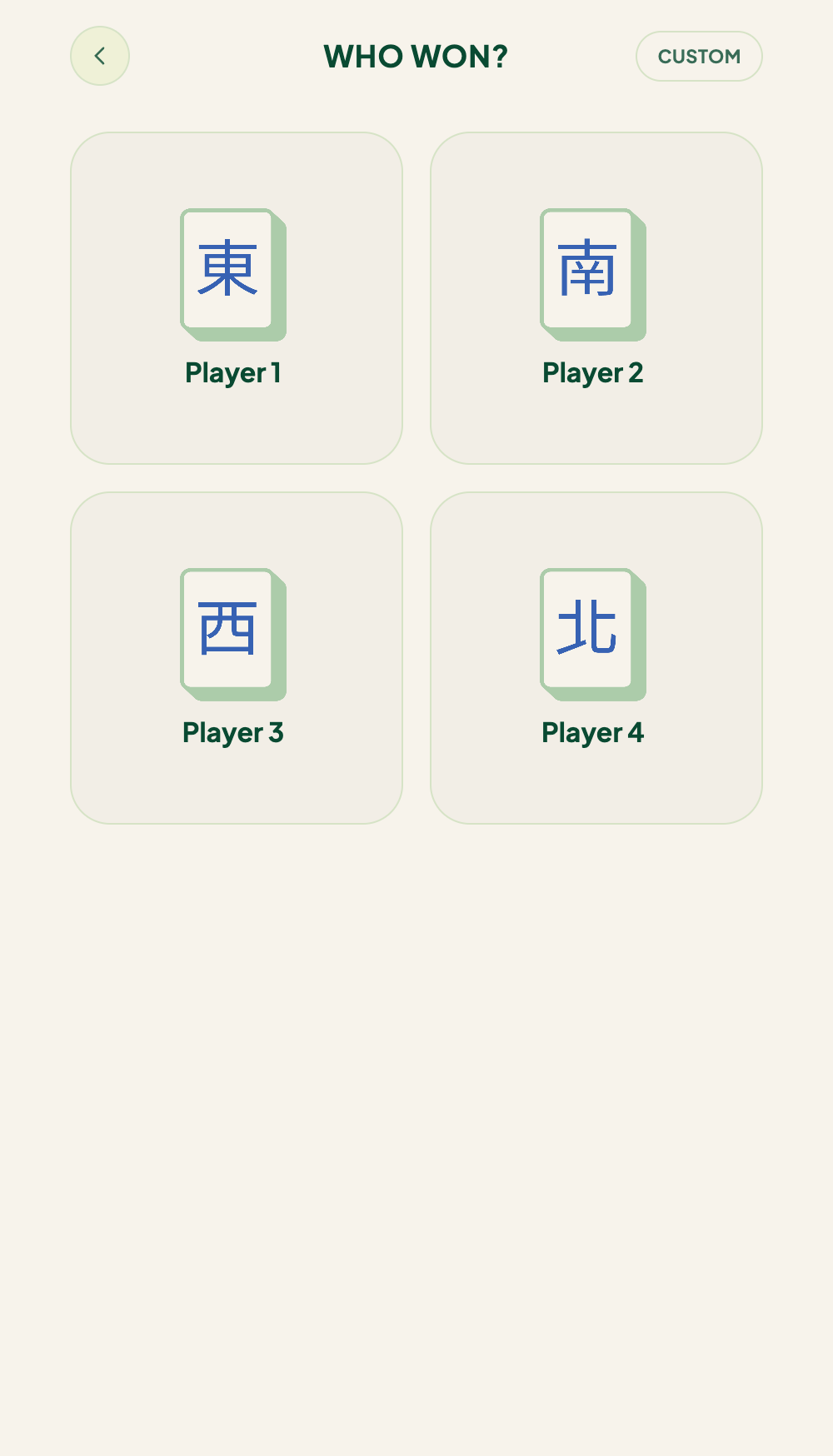
Balances update the moment you confirm, and the dealer rotates per your rules.
Win methods
- Self-pick (自摸) — the winner drew their own winning tile, so all three other players pay. Self-pick adds +1 faan. In direct entry, include that +1 in the number you set; with Pick Tiles or Scan Tiles, TileBuddy adds it for you.
- Won on a discard (出沖) — the winner won off someone else's tile. You pick who discarded it on the Who discarded? step, and that deal-in player pays more.
Enter the score
On the Score step you have three options.
Type the faan
If you already know the hand's value, set the faan on the slider (or tap a preset like 3F / 8F), then tap Log Win. A reminder shows that self-pick is worth +1, so include it in the number.
Pick Tiles
Prefer to tap your tiles in? Tap Pick Tiles to open the tile keyboard and build the hand tile by tile. TileBuddy scores it for you as you go.
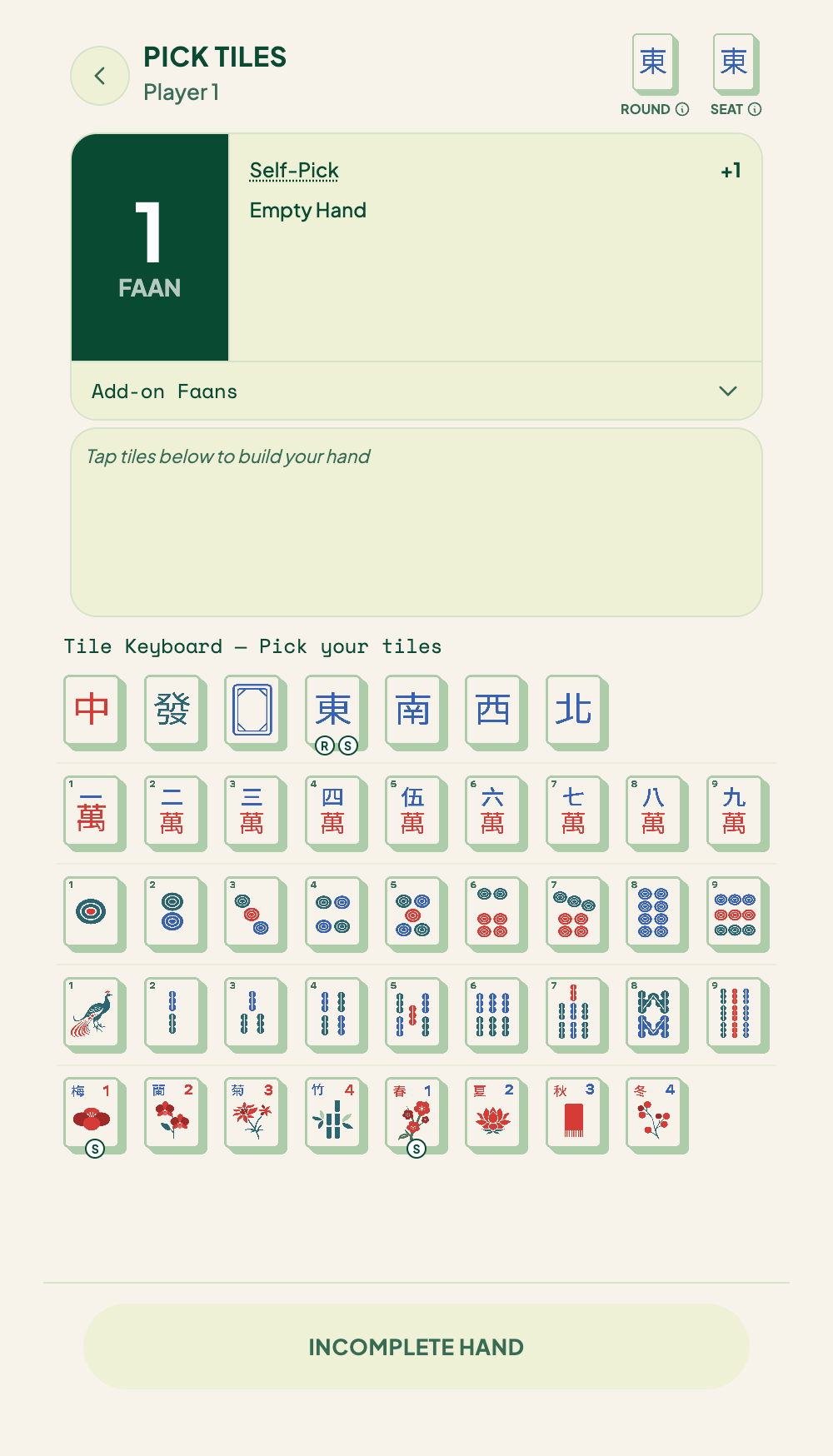
As you build:
- A card at the top shows the running faan. It's a live estimate while the hand is incomplete, and firms up once you have a valid winning hand — then the button changes from Incomplete Hand to Confirm Hand.
- The score card breaks the faan down by pattern (Full Flush, All Triplets, and so on). Tap any line to open its Faan Wiki entry without leaving the flow.
- Add-on Faans (the expandable row) lets you add situational bonuses by hand if you need to.
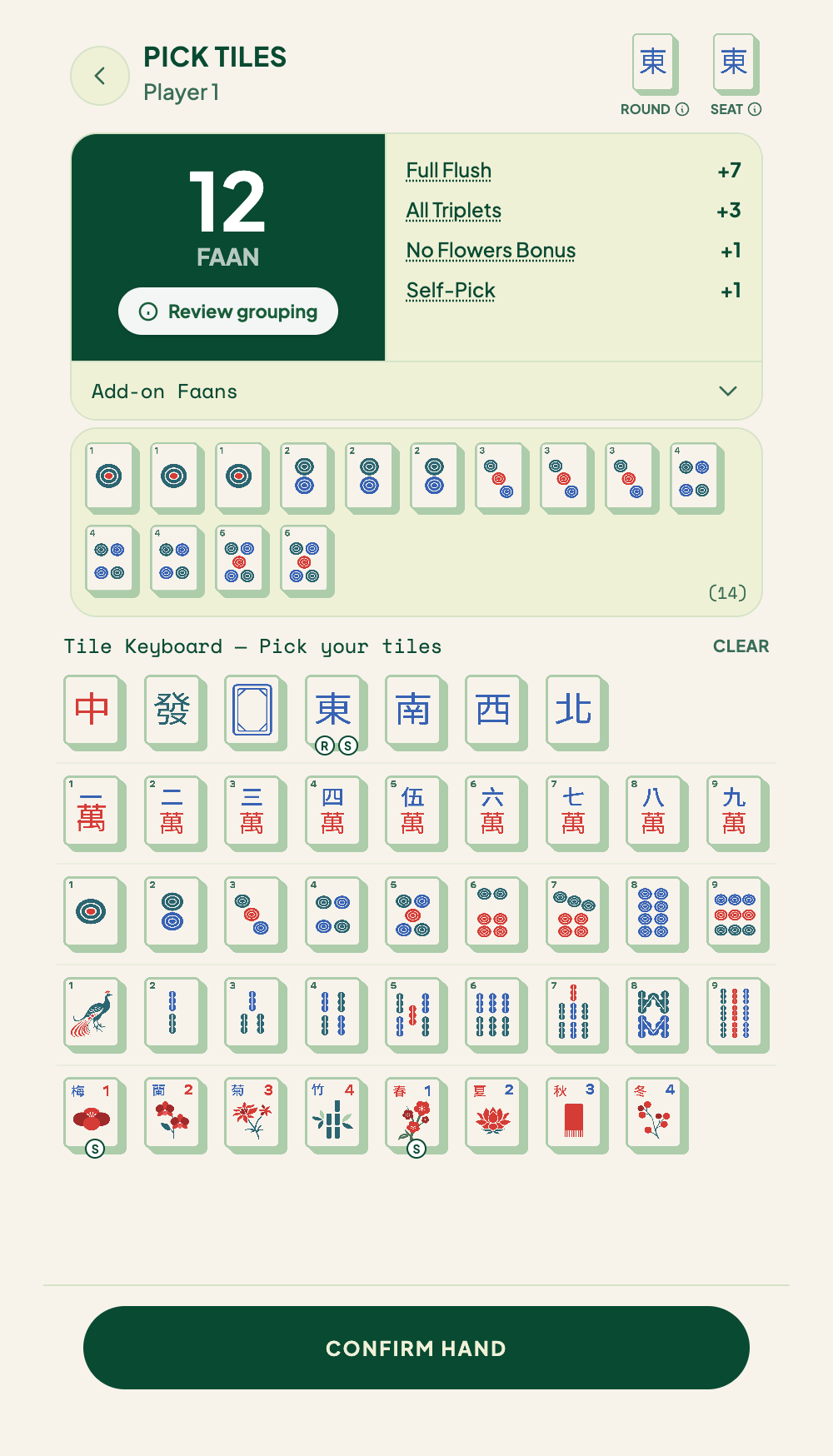
Badges on the keyboard flag the tiles that could earn you extra faan:
- R — the round wind.
- S — your seat wind (and its matching flower and season).
Built-in guards keep the hand valid: at most four of any suit or honor tile, and at most one of each flower or season. When you hit a limit, that tile greys out.
Flowers and seasons can be turned off per game in Settings. If your table doesn't play them, they won't appear in the keyboard.
Scan Tiles
Point your camera at your winning hand and TileBuddy reads the tiles, fills them into the hand, and scores it. A reminder to double-check the scan appears in the result — review the tiles and fix anything before you score.
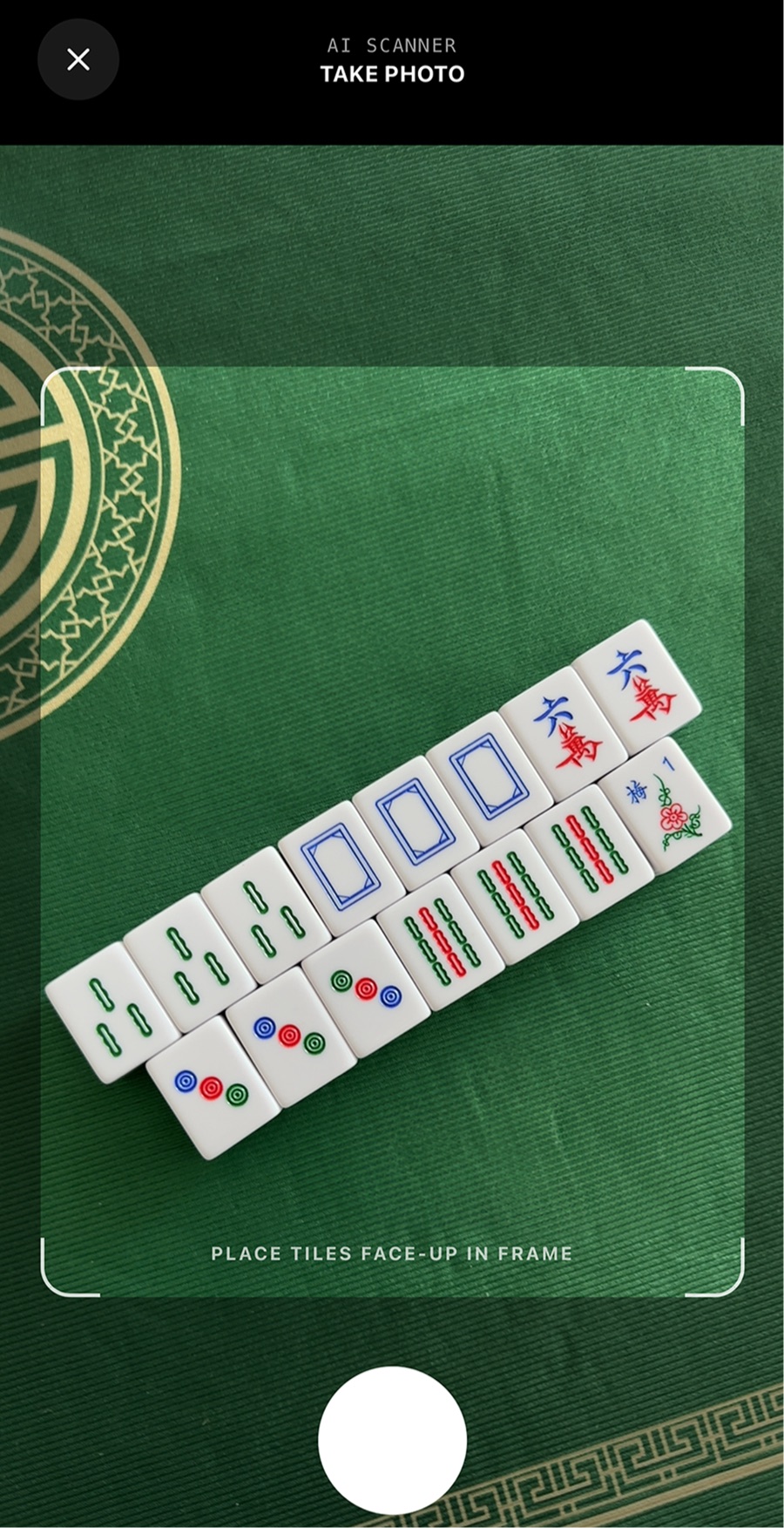
Always review the scanned tiles. AI can misread a tile now and then. If something's off, fix it in the tile keyboard before scoring.
Scan limits:
| Plan | Scans |
|---|---|
| Free | 4 per day |
| Premium | 50 per day |
Free scans are tracked per device — no account needed. See Premium and billing to raise your limit. At a Club Pro event, guests scoring at the event can get unlimited scans.
The first time you scan, TileBuddy asks whether it may keep your scan photos to help improve the AI. This is opt-in, and you can change it any time in Settings.
If a hand reads two ways
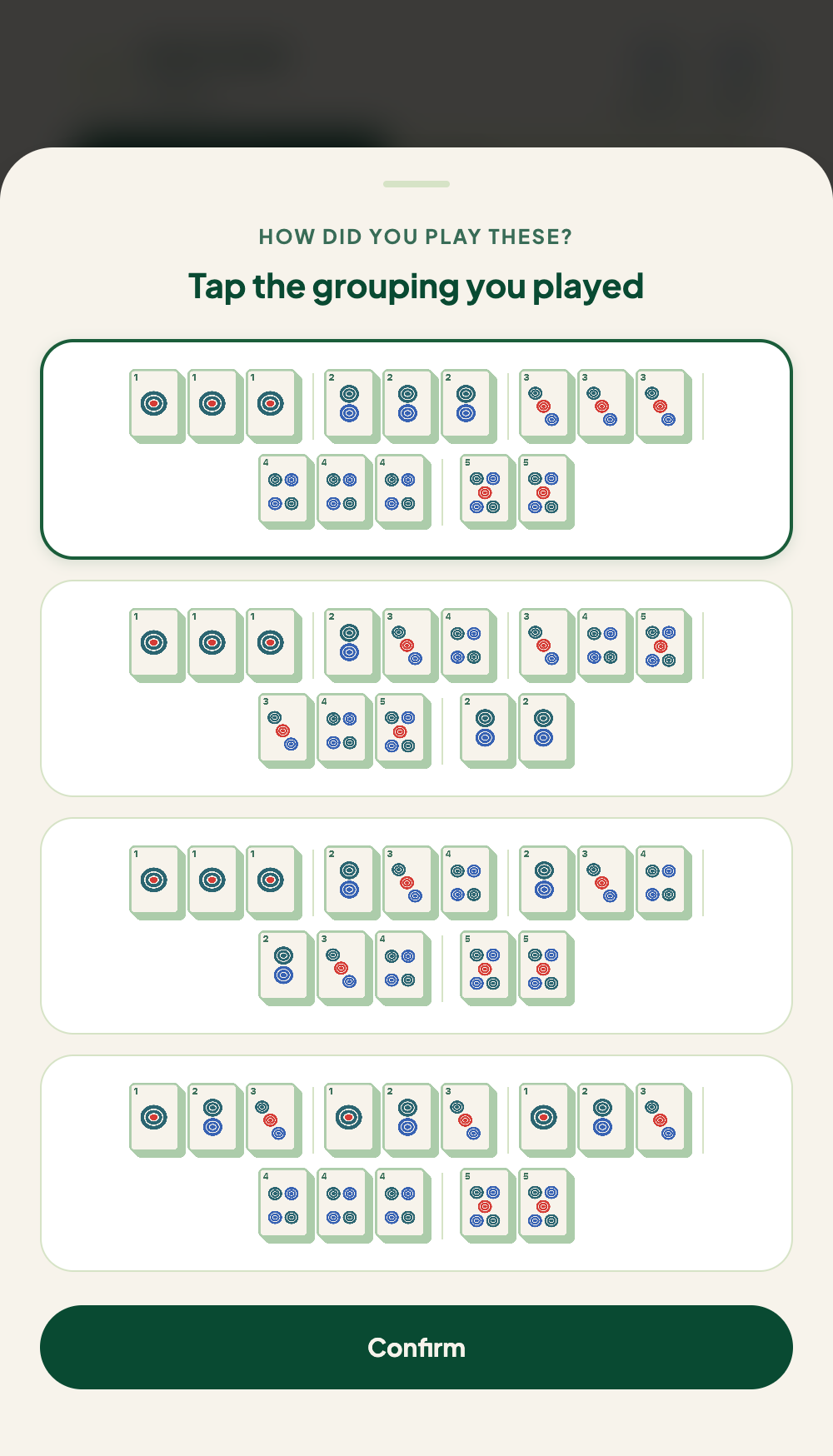
Some winning hands can be split into melds more than one way, and each way can score a different faan. When that happens — or when you tap Review grouping on a scored hand — TileBuddy shows the competing readings as full-width cards, stacked one above the other, under the heading "Tap the grouping you played." Pick the one that matches how you actually formed your hand, and TileBuddy scores that one.
Custom payout
Tap Custom in the top-right of the first step (Who won?) when a hand's settlement doesn't fit normal scoring — for example, a side deal agreed at the table.
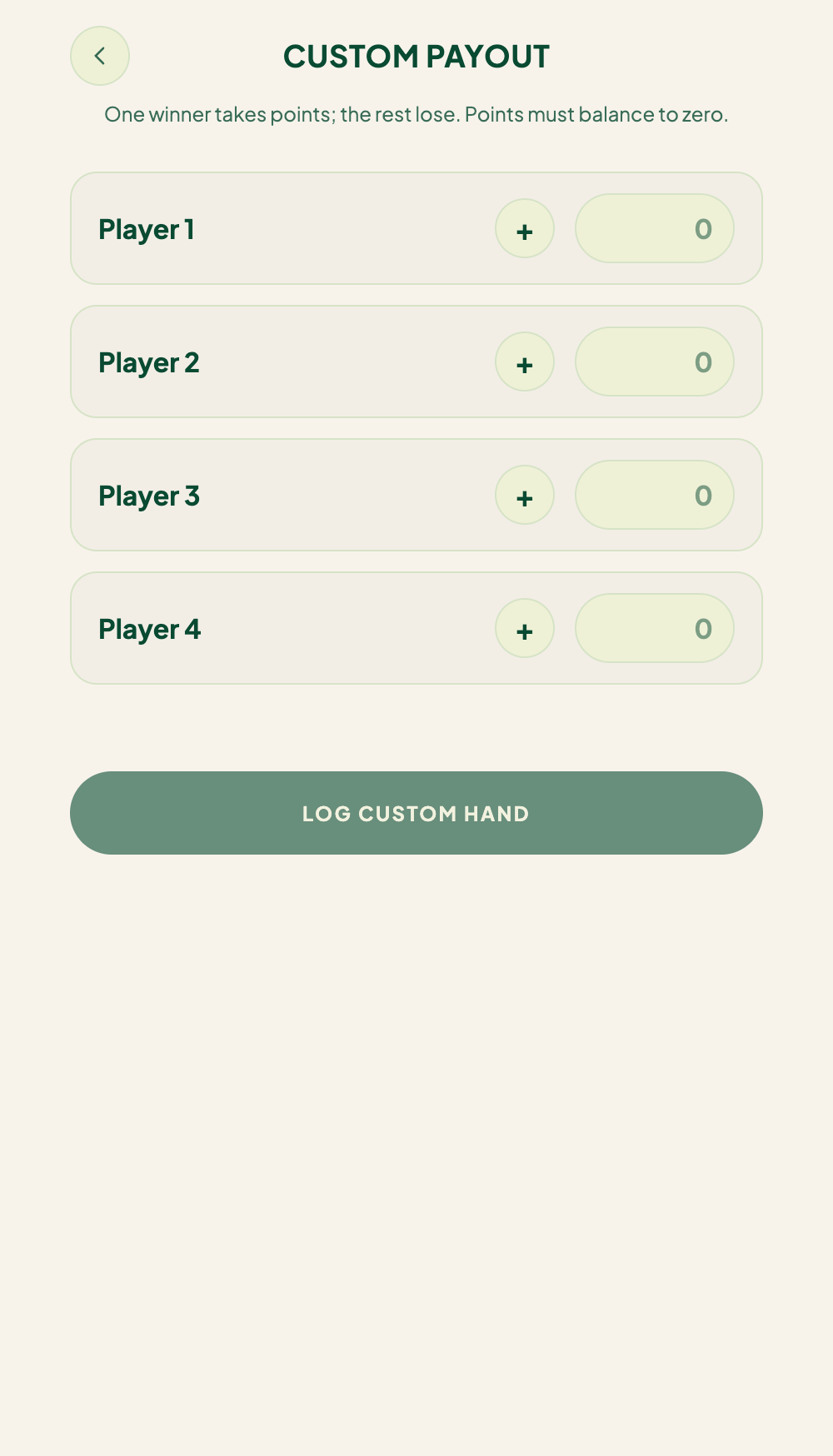
In custom mode:
- Enter an amount for each seat, and use the +/− toggle to set whether that player goes up or down.
- The amounts must balance to zero before you can log the hand.
- One player takes points and the rest lose — TileBuddy treats the player with the positive amount as the winner.
Tap Log Custom Hand to save it. History shows CUSTOM instead of a faan count.
Recording a drawn hand
A draw is recorded separately from a win. Tap Draw on the main scorecard (not inside the win flow) to log a hand with no winner. The dealer rotates on a draw only if that option is enabled in your settings.
Automatic payout math
Once you confirm, TileBuddy calculates every payment from your Settings — your payment structure and your faan-to-units table — and adds situational bonuses like self-pick and flowers.
Related pages
- Faan Wiki — look up what a hand is worth.
- Score tracker — where balances live.
- Settings — stakes and scoring rules.