Score Tracker
The score tracker is your home base during a game. It keeps every balance straight so you can focus on the tiles.
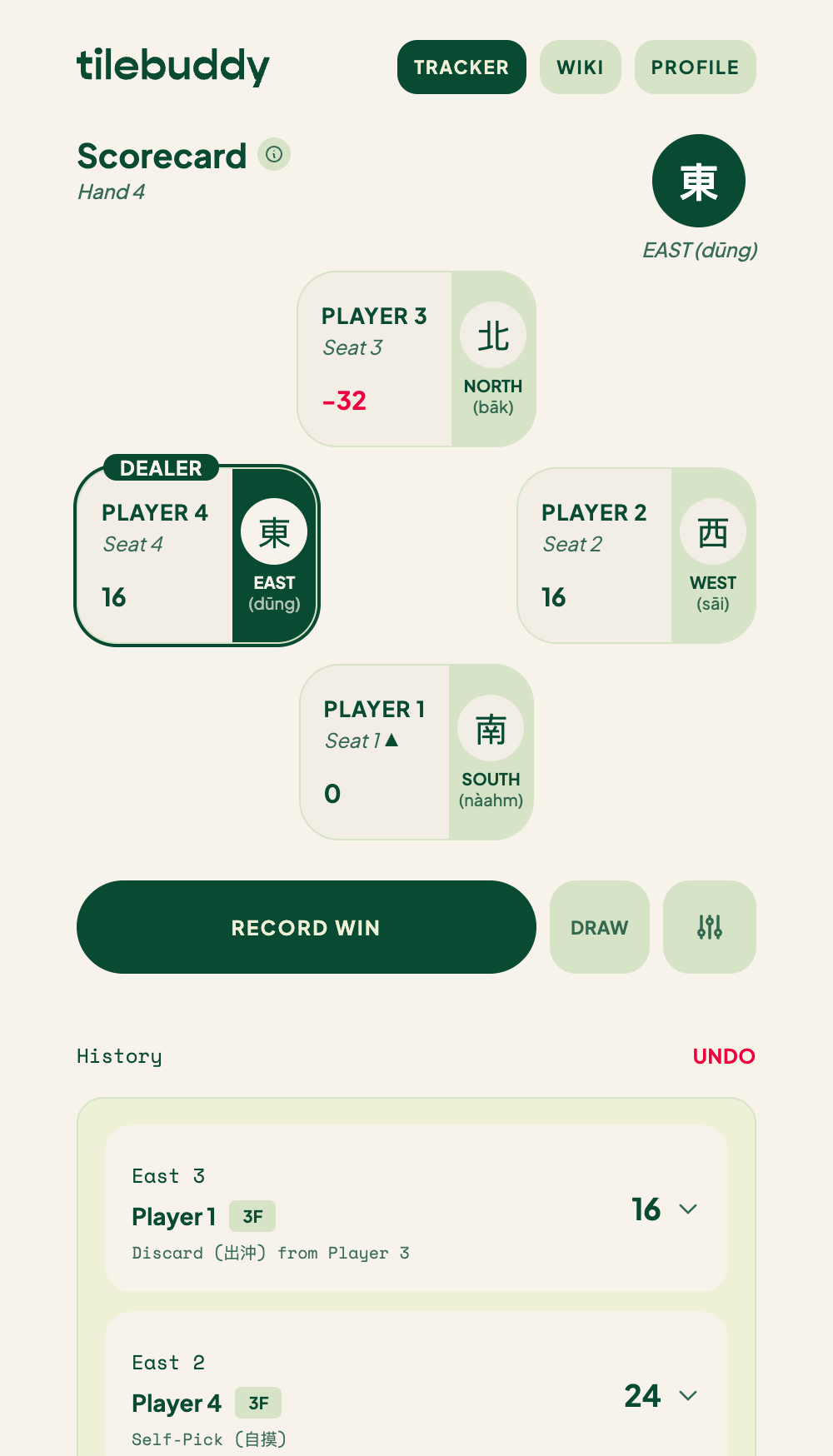
The four player cards
Your table appears as four player cards in a diamond layout. Each card shows:
- The seat wind — East, South, West, or North.
- The player's name.
- Their running balance.
Balances update the moment you record a hand. When a player is down, their balance shows in red so you can spot it at a glance.
Recording a win
Tap the Record Win button under the cards to start the win flow. Or tap Draw for a hand with no winner. TileBuddy walks you through the rest — see Recording a win for the full flow.
Dealer rotation
The dealer's card is ringed and marked with a Dealer pill. How the dealer passes depends on what happened:
- After a non-dealer wins, the dealer passes clockwise to the next seat.
- If the dealer wins, or the hand is a draw, the dealer stays.
These rules are configurable. If your table plays differently, adjust them in Settings.
Game winds
The game moves through rounds by wind: East, then South, then West, then North. After the North round finishes, the game auto-ends and offers you a Final Tally.
If everyone wants to keep going, choose Continue Playing to carry on past the North round.
Stakes and points
Balances show in the currency you picked, or as plain points. Set the value of one unit — your stake — in Settings.
Undo
Made a mistake? Tap Undo to reverse the last recorded hand. TileBuddy restores the balances and dealer exactly as they were before that hand.
Undo steps back one hand at a time, so you can walk back several hands if you need to.
Where to go next
- Recording a win — the step-by-step win flow.
- Settings — stakes, faan table, and rotation rules.
- History and recaps — see the Final Tally and past games.