Rounds
Rounds let you split one game night into separate scored segments. Each round starts fresh — scores reset, every table restarts with East dealing — while previous rounds' standings are saved and stay visible. Useful for tournaments or any night where you want a clean break partway through without ending the event.
Starting a new round
Tap ⋯ in the console header and choose Start Round N (the number increments automatically). A modal appears asking how to handle seating for the new round.
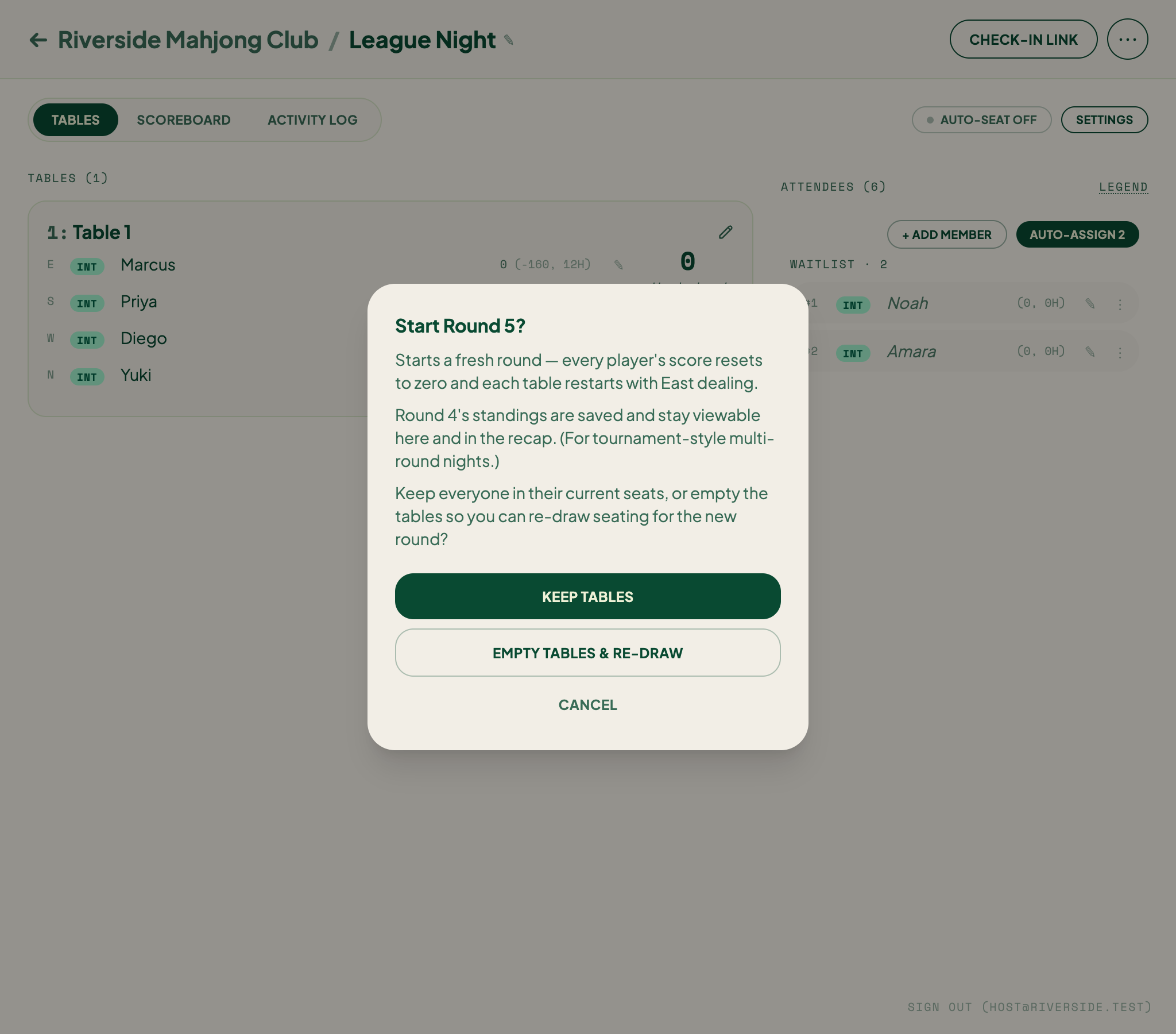
Pick one of two options:
- Keep tables — players stay in their current seats and the round begins immediately.
- Empty tables & re-draw — all players return to the waitlist so you can re-draw seating before starting.
Either way, TileBuddy:
- Saves the current round's standings permanently.
- Resets every player's score to zero.
- Restarts every table with East dealing.
Start Round is intentionally in the ⋯ menu, not a top-level button — it's a deliberate action.
Scoreboard view
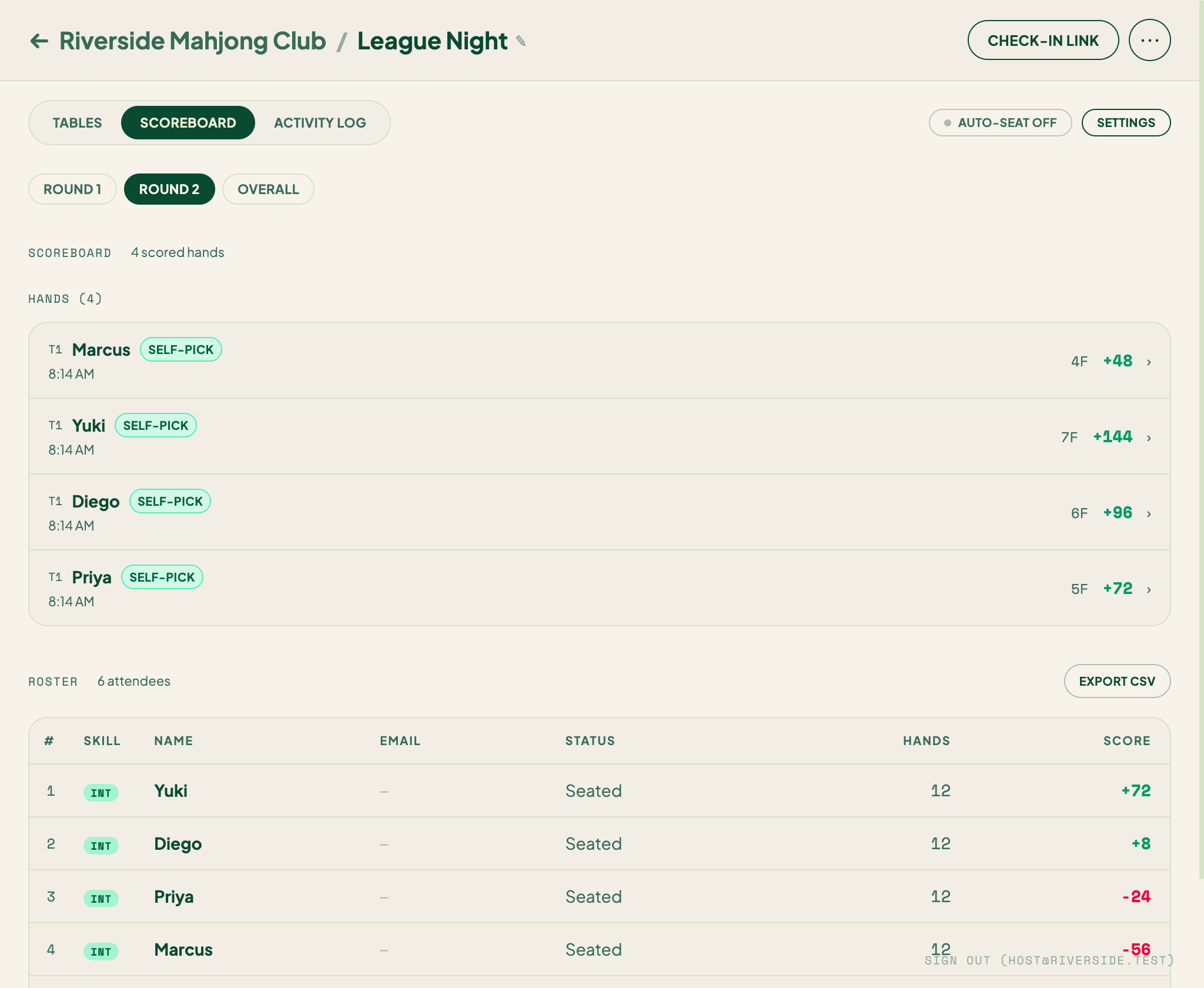
Once Round 2 exists, the Scoreboard tab shows filter pills above the standings:
- Round 1, Round 2, … — standings for that round only.
- Overall — combined standings across all rounds.
The view defaults to the current active round. Tap Overall to see who's leading the whole night.
What players see
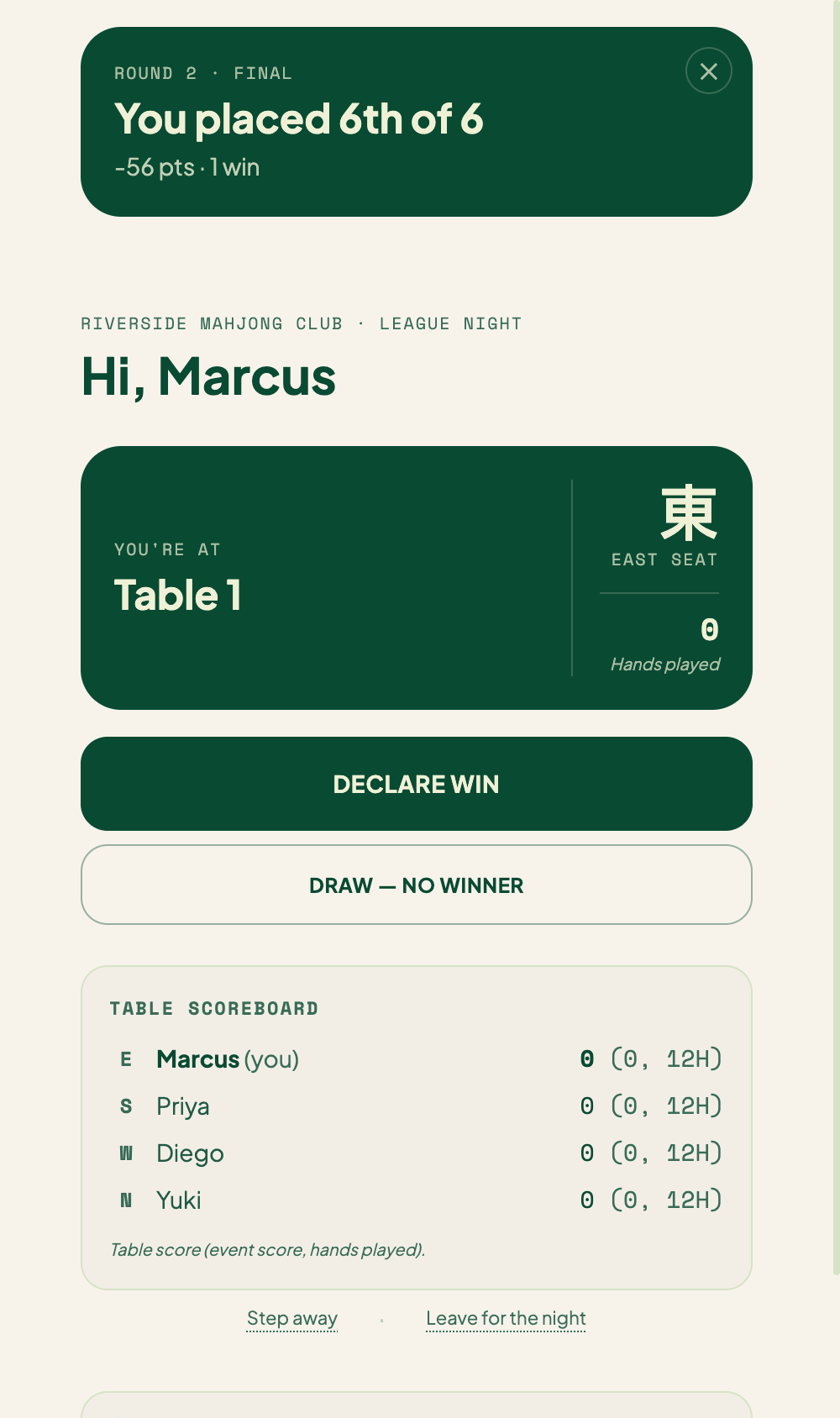
When you start a new round, each player's check-in page shows a dismissible card with their result from the round that just ended:
Round 1 · Final
You placed 2nd of 12
+4,800 pts · 3 wins
The card stays until the player taps to dismiss it. It comes back if they reload before dismissing.
Recap
After the event ends, the recap shows Overall standings first — the whole-night totals — followed by a section for each round, each with its own standings and biggest hand.
Related
- Host Console — where the ⋯ menu lives.
- Ending an Event — wrap up after all rounds are done.
- Manual seat operations — reshuffle players between rounds.