Table Rotation
Rotation is how players move between tables as the night progresses. You pick who leaves, how many seats turn over each rotation, and whether it happens automatically.
Who leaves on rotation
Three options. Pick one to set the rotation strategy:
| Strategy | What happens |
|---|---|
| First in, first out | The player(s) who have been seated longest leave the table. Newer arrivals stay. |
| Winner stays | The top scorer at the table keeps their seat. The lowest-scoring player(s) swap out. |
| No rotation | Nobody moves. Scores still track normally, but no player is ever prompted to change seats. See No rotation events below. |
Swap count and hands per rotation
These controls appear when rotation is on (any strategy other than No rotation):
- Players swapped — how many seats turn over each rotation (1–4). Set it to 4 and the whole table reshuffles at once.
- Hands per rotation — how many hands play at a table before the next rotation triggers.
Auto-rotate
When Auto-rotate is on, TileBuddy rotates a table automatically once it reaches the hands-per-rotation threshold. Turn it off if you prefer to trigger rotations yourself — you'll see a rotation-due flag on the table card when it's time.
Auto-rotate is hidden when No rotation is selected, since there's nothing to automate.
Other options
- Draws count toward rotation — a drawn hand still advances the rotation counter.
- Dealer rotates on draw — the dealer wind passes even when nobody wins.
No-rotation events
When No rotation is selected, tables show a plain hand counter with no rotation prompts. Players are never blocked from recording a hand by a "time to rotate" gate, and the rotate controls are hidden throughout the event. It's the right choice for fixed-seating tournaments or nights where you handle seating entirely by hand.
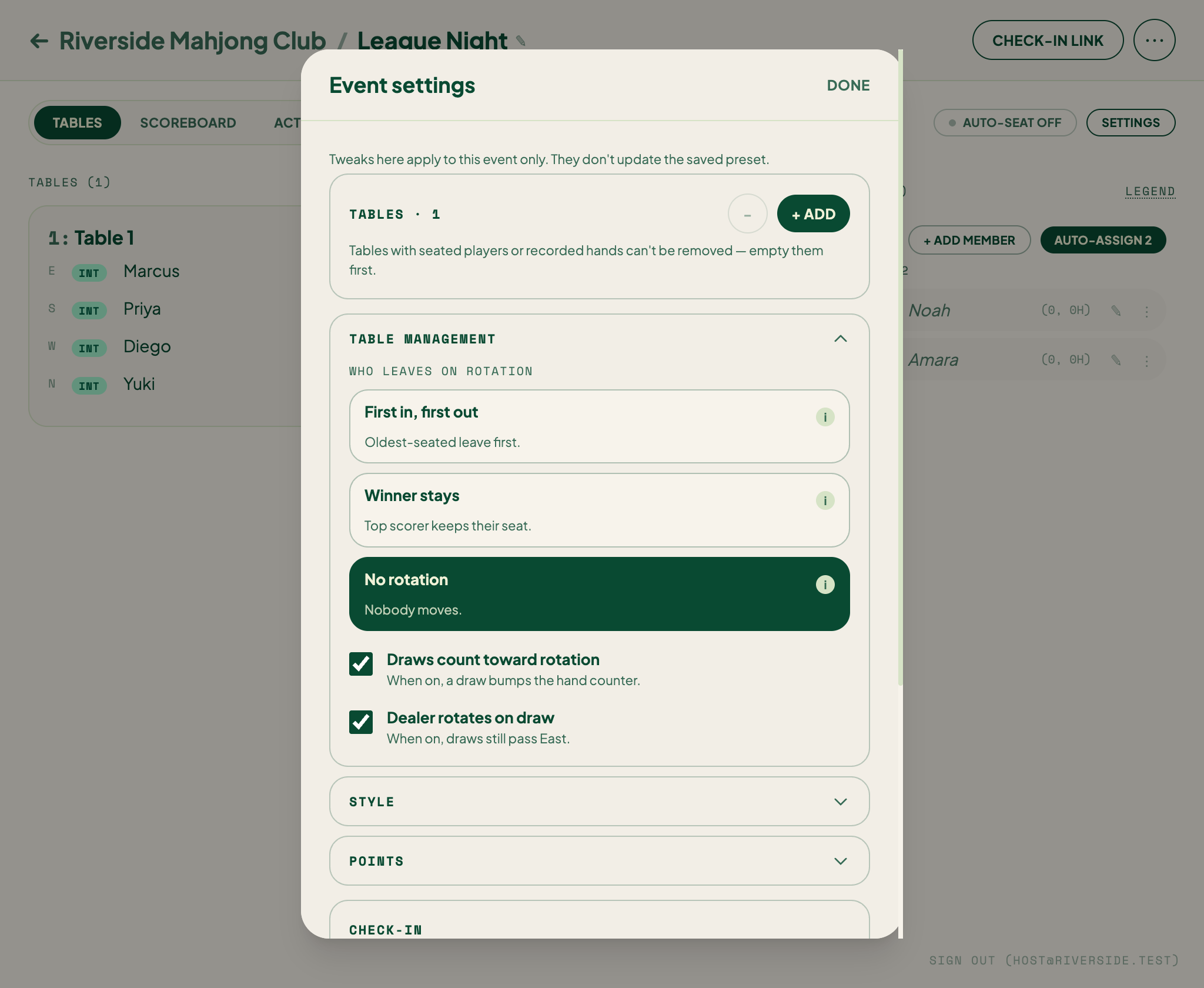
All rotation settings live in your rule presets, so you can save one setup for social nights and another for tournament nights.
Related
For hands-on seat changes outside the normal rotation, see Manual seat operations.