Getting Started
This page takes you from a fresh install to finishing your first game.
1. Install the app
- iPhone / iPad: TileBuddy on the App Store
- Android: TileBuddy on Google Play
TileBuddy works offline. Scoring, tracking, and the Faan Wiki all work without a connection — you only need internet for AI tile scanning and cloud sync.
2. Do you need an account?
No. Open the app and start tracking a game immediately — everything saves locally on your device.
Signing in (with Apple, Google, or email) is optional and adds:
- Cloud sync — your game history follows you across devices.
- A profile — lifetime stats and your subscription status.
See History & Recaps for how sync works.
3. Set up your first game
First time in, an onboarding walkthrough runs through the basics. You can replay it later from Settings.
- Open TileBuddy and tap Setup New Game (during a game, tap the settings icon instead).
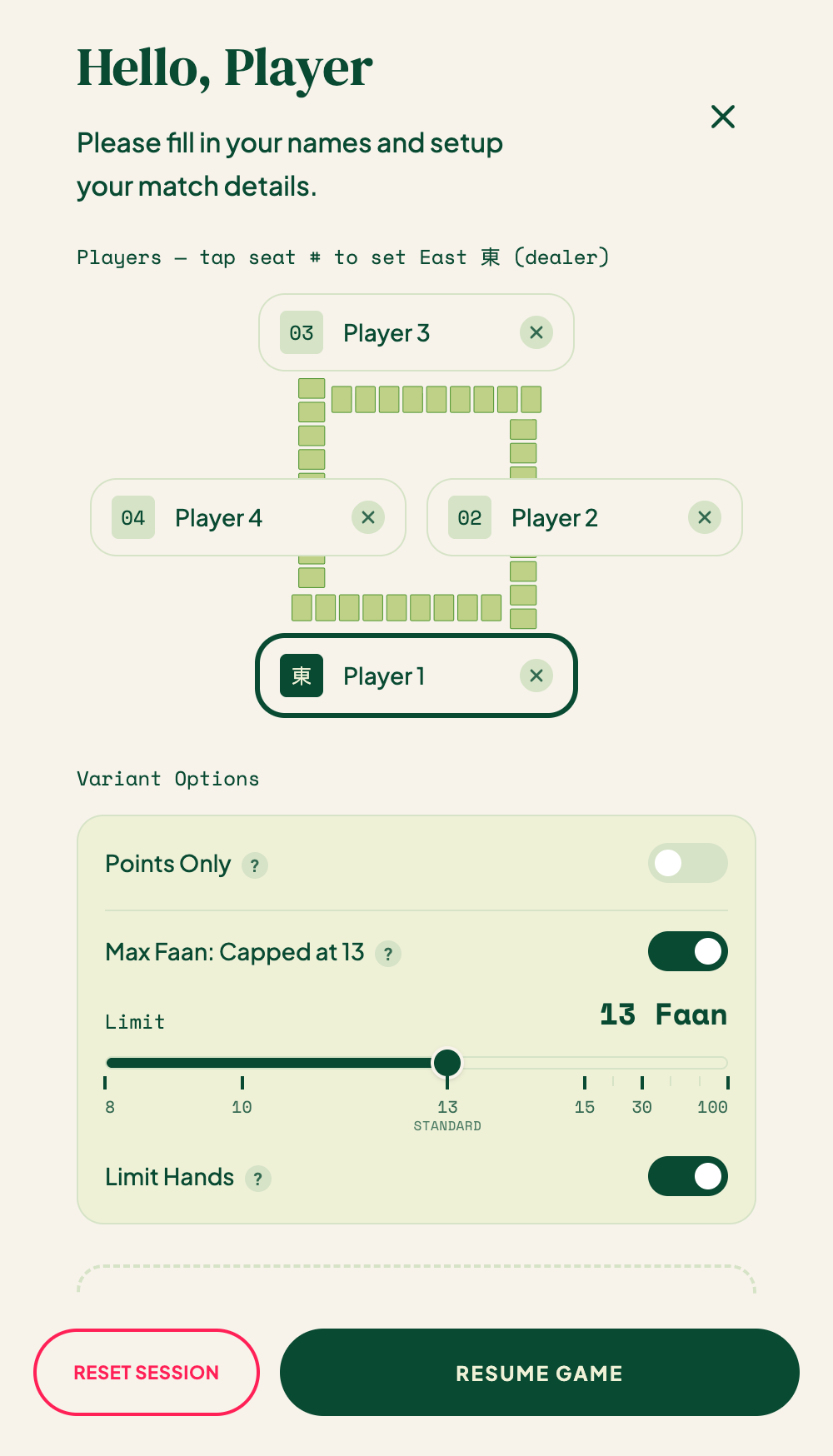
- Set the match up:
- Players — a name per seat. Tap a seat number to set who starts as East 東 (the dealer).
- Stakes — play for money (the value of one unit) or turn on Points Only.
- Rules — hand style (Classic / New 6 / New 18), max faan, and whether flowers count. Tap Show Advanced for more: payment structure, dealer-rotates-on-draw, and the faan table.
- Tap Start Game. Each player card shows the seat's wind (East / South / West / North) and running balance.
Full detail: Game Settings.
4. Record your first win
When someone wins, tap Record Win (the main button under the scorecard). For a hand with no winner, tap Draw instead. Then step through a few quick taps:
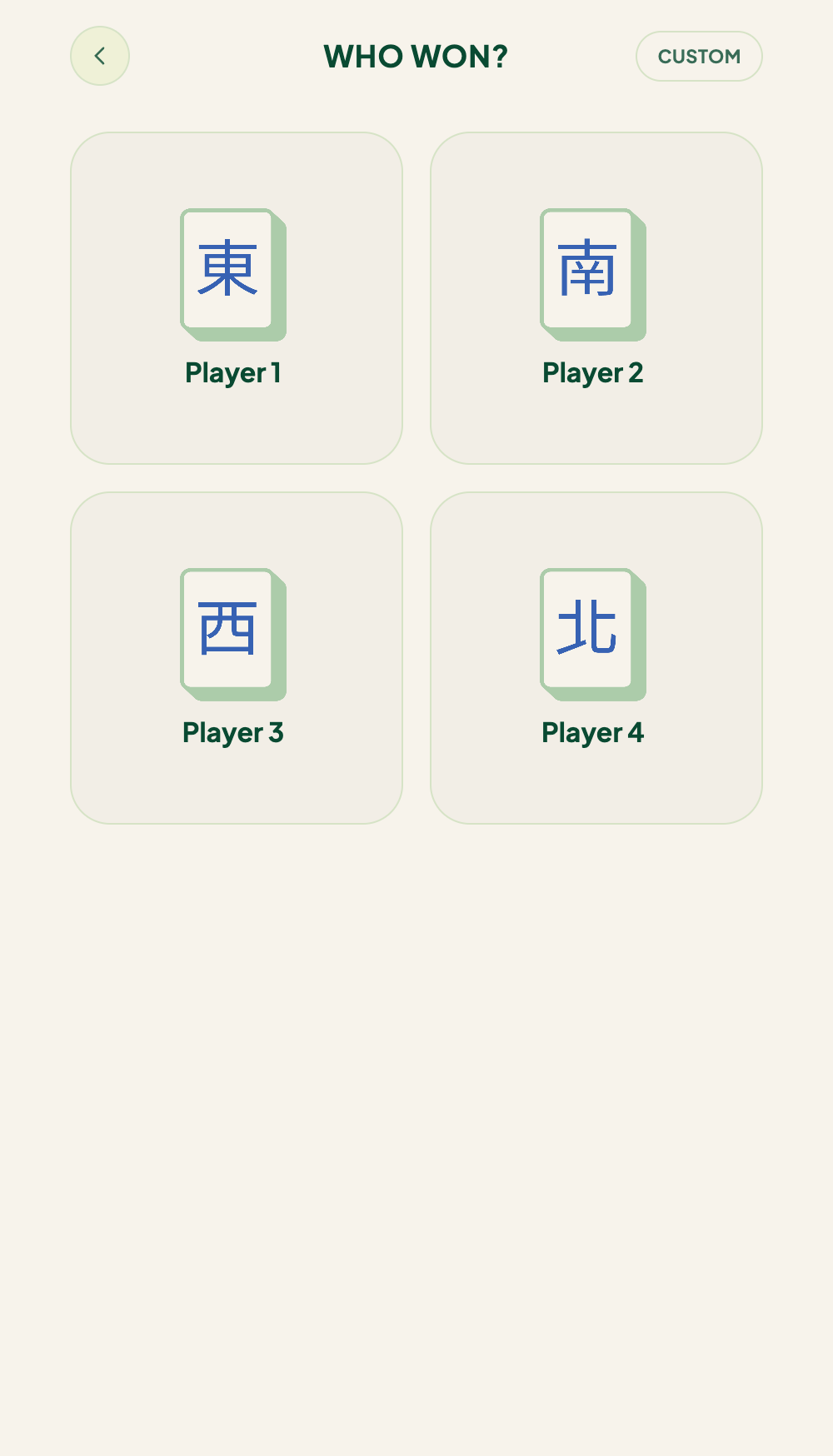
TileBuddy then updates every balance and rotates the dealer if the rules call for it.
Full detail: Recording a Win.
5. Finish and review
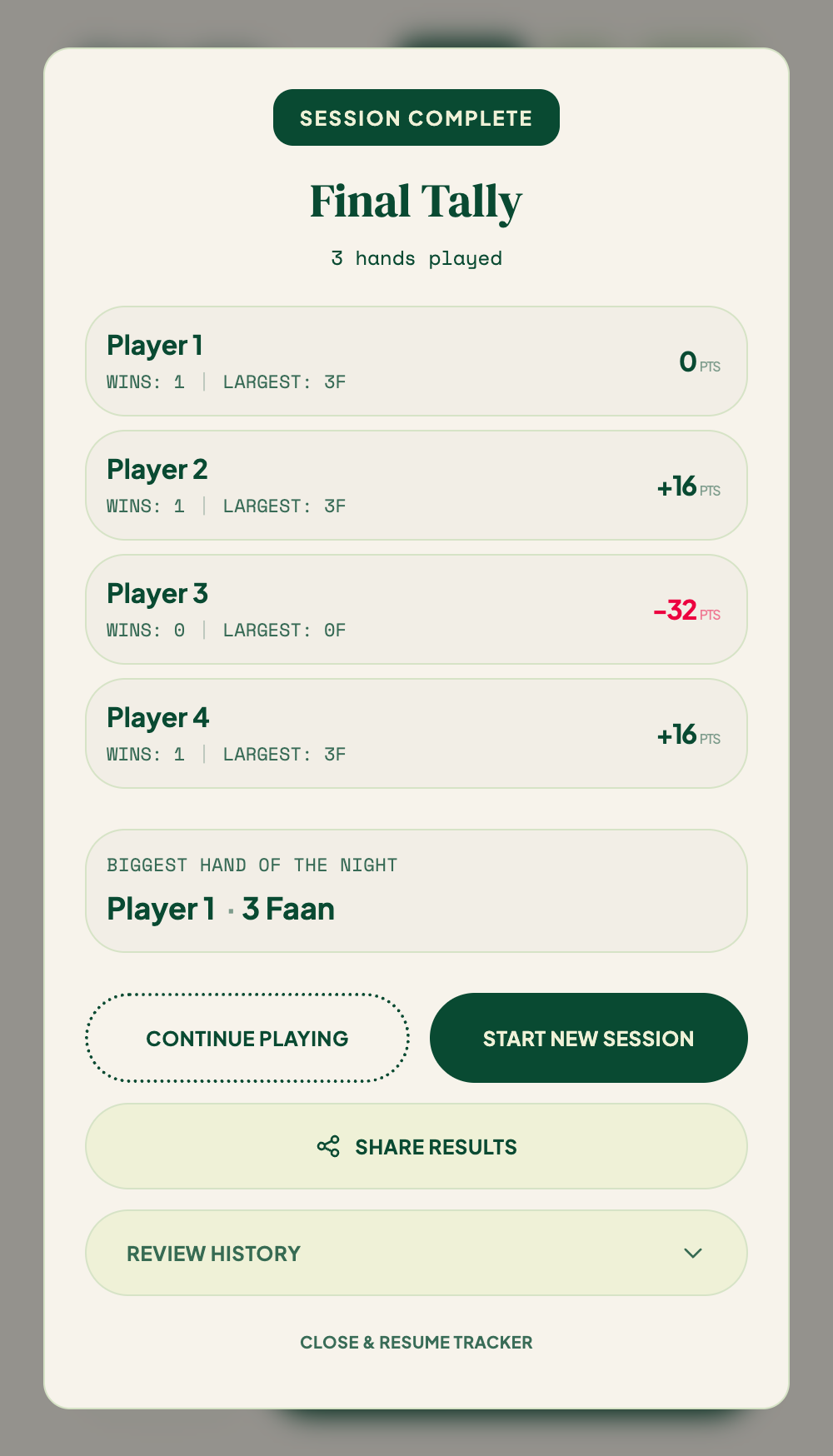
When the game ends (or you end it early), TileBuddy shows the final tally — standings, win counts, and the biggest hand of the night. You can share a recap image to your group chat.
Full detail: History & Recaps.
What next?
- Hosting a bigger night across multiple tables? See TileBuddy Club.
- Not sure what a hand is worth? Browse the Faan Wiki.
- Got a question? Check the FAQ.